WebmCap - Tiny native WebM screen recorder/playerWebmCap is the successor to FFplay/FFcapture. It no longer uses FFmpeg.exe, thus drastically reducing the binary size.
It is designed primarily for creating tutorial videos.
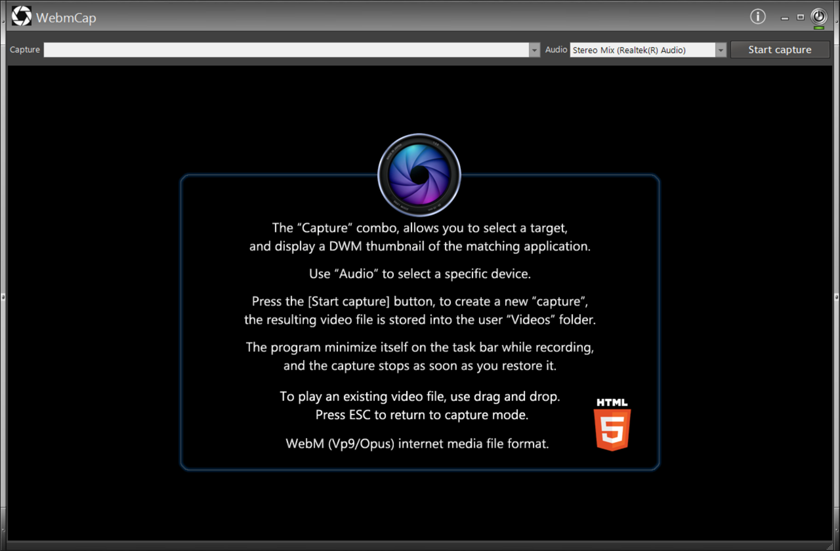
It captures a selected desktop window in real time and creates a WebM video using
VP9 for video and
Opus for audio.
The complete executable is currently only:
1213 KBDespite its small size, WebmCap includes the complete recording and WebM muxing engine.
Main features- Native Windows x64 C/C++ application.
- Desktop/window video capture.
- VP9 video encoding using libvpx.
- Opus audio encoding.
- Native WebM muxing using libwebm.
- 48 kHz stereo audio capture.
- Correct real-time audio/video synchronization.
- Built-in video player using the WinLIFT WV2B/WebView2 browser control.
- Drag and drop a video file onto WebmCap to play it.
- Playback is not artificially restricted to WebM: any video format supported by WV2B/WebView2 can be used.
- Press ESC to close the player and return to capture mode.
Why WebM / VP9 / Opus?The original goal was to avoid relying on a large external multimedia application such as FFmpeg for a relatively simple screen-recording task.
WebmCap therefore uses only the components it actually needs.
libvpx was reduced to the VP9 encoding functionality required by WebmCap, Opus is statically linked, and the required libwebm muxer sources are compiled directly into the application.
The project also uses TCLib to minimize conventional CRT overhead.
The result is a complete recorder/player of approximately
1.2 MB.
Recording qualityA demanding test was made using an ObjReader 3D animation (Helmet.orb).
For the same 71-second animation:
FFCapture : 91.0 MB / 71 seconds
WebmCap   : 58.4 MB / 71 seconds
The WebmCap VP9 recording retains excellent visual quality while producing a substantially smaller file.
ObjReader was rendering the animation at approximately 239/240 FPS while WebmCap recorded it at 30 FPS.
PlaybackWebmCap is primarily a WebM recorder, but it can also be used as a lightweight video player.
Simply drag and drop an existing video file onto the WebmCap window.
The video is displayed using WV2B/WebView2. Press
ESC to close the player and immediately return to the capture interface.
There is deliberately no hard-coded list of supported video extensions: the file is passed directly to WV2B/WebView2, which determines whether it can be played.
ImplementationWebmCap is written in native procedural C/C++ for Windows x64.
It uses:
- Win32 API
- GDI desktop capture
- WaveIn audio capture
- libvpx / VP9
- Opus
- libwebm
- WinLIFT/GDImage
- WV2B / WebView2 for playback
- TCLib
WebmCap is another example of what can still be achieved on Windows by staying close to the native API and including only the code actually required.